Progress on real tasks
Goal progress comes only from real tasks you score. Game rounds are saved as practice and never count.
Pediatric occupational therapy
Score real tasks like writing, cutting and buttoning in the session, see each goal's progress, and send matching practice home.
No sign-up. Made-up kids only. Or watch the 40-second tour ↓
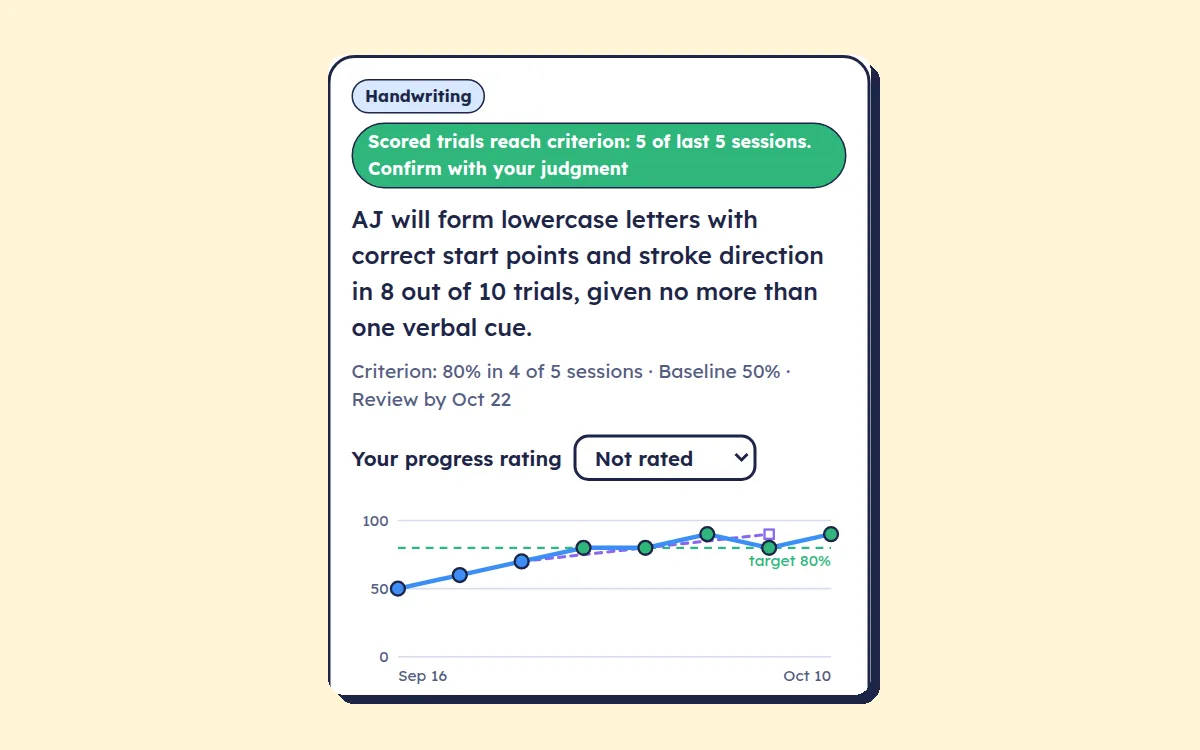
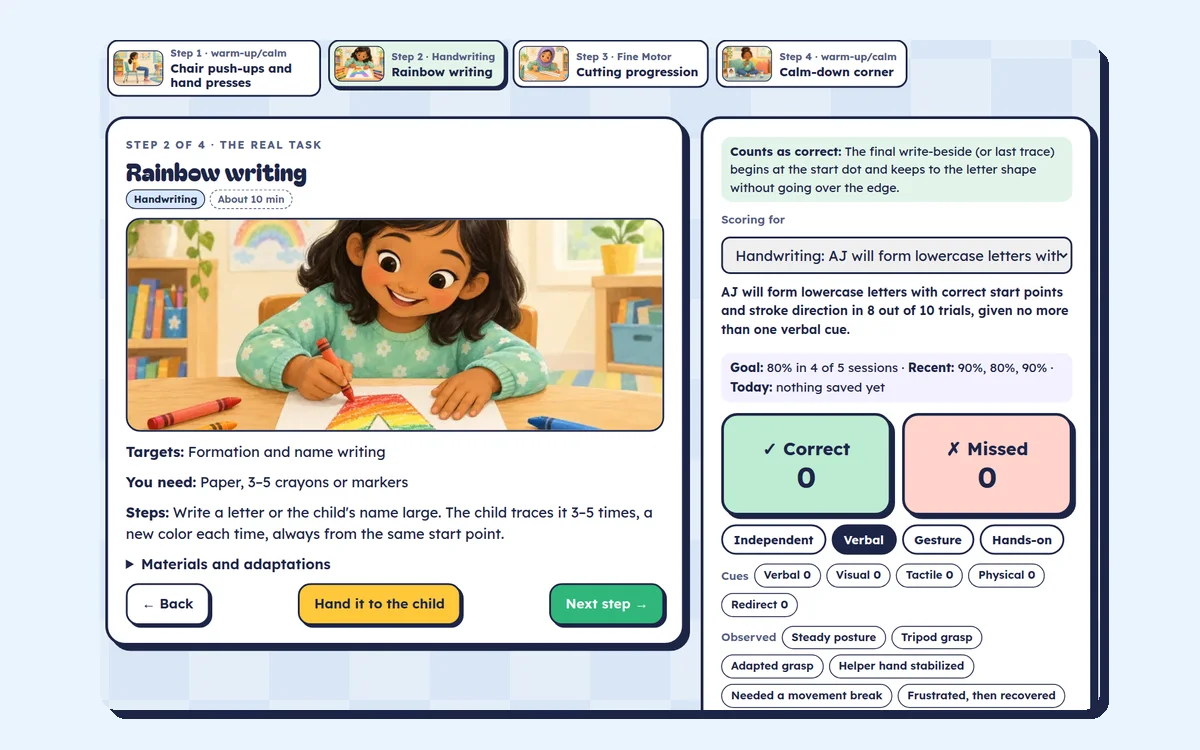
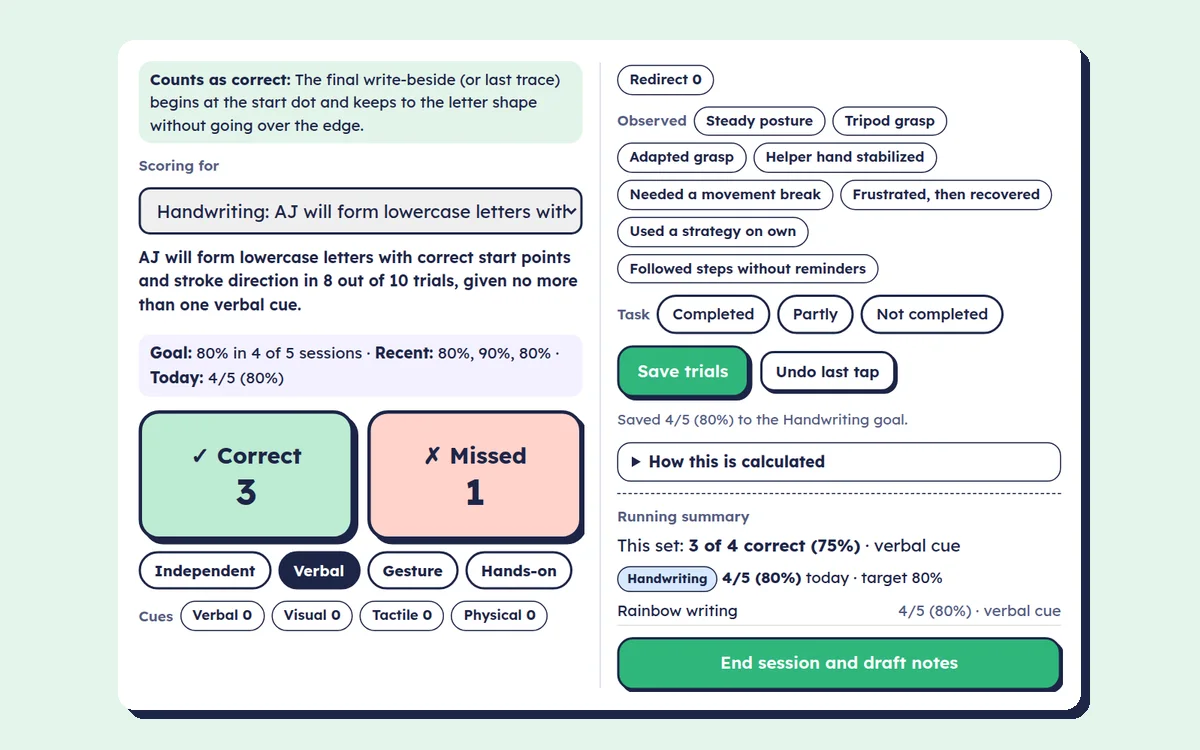
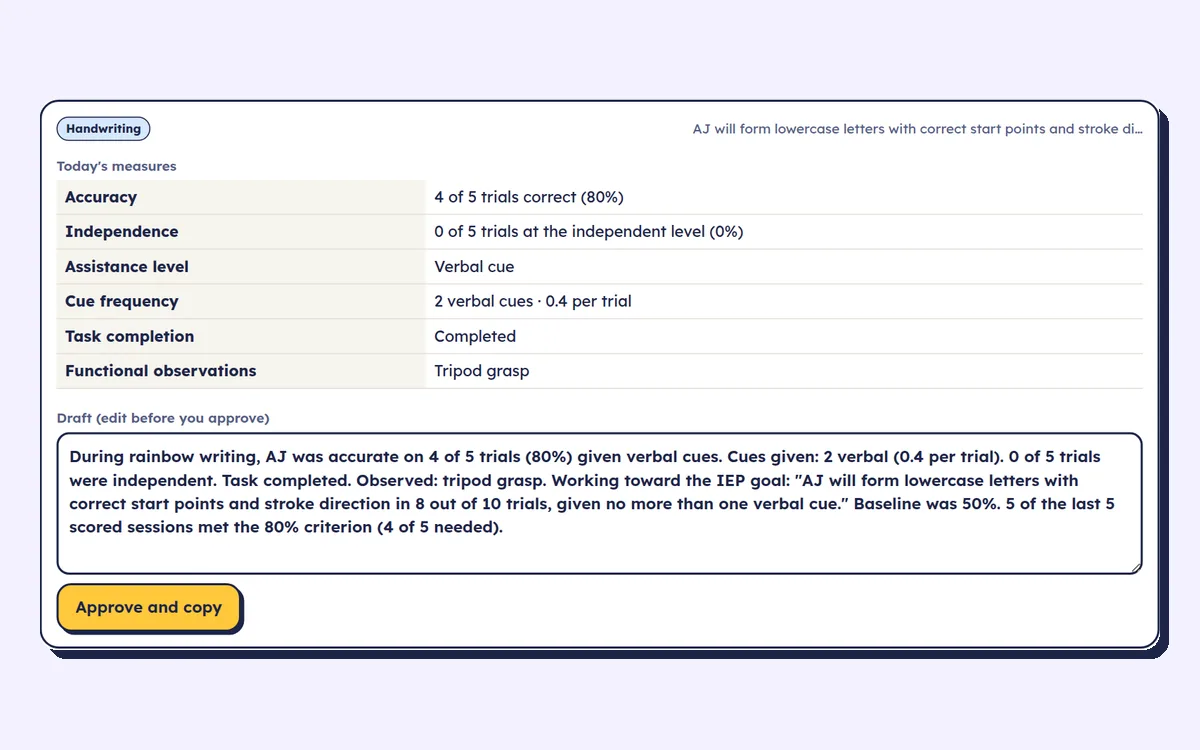
One child, one goal, one session: from picking the goal to the note and the family card. These are real screens from the demo. Games and warm-ups are practice and never count as progress; only real tasks the OT scores do.
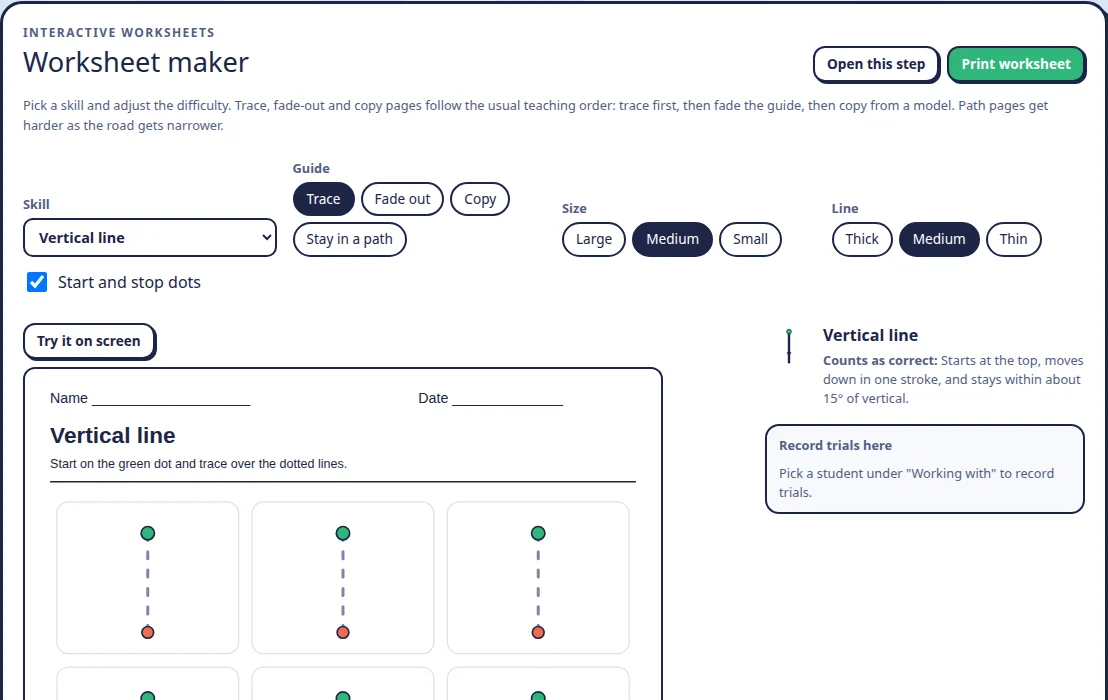
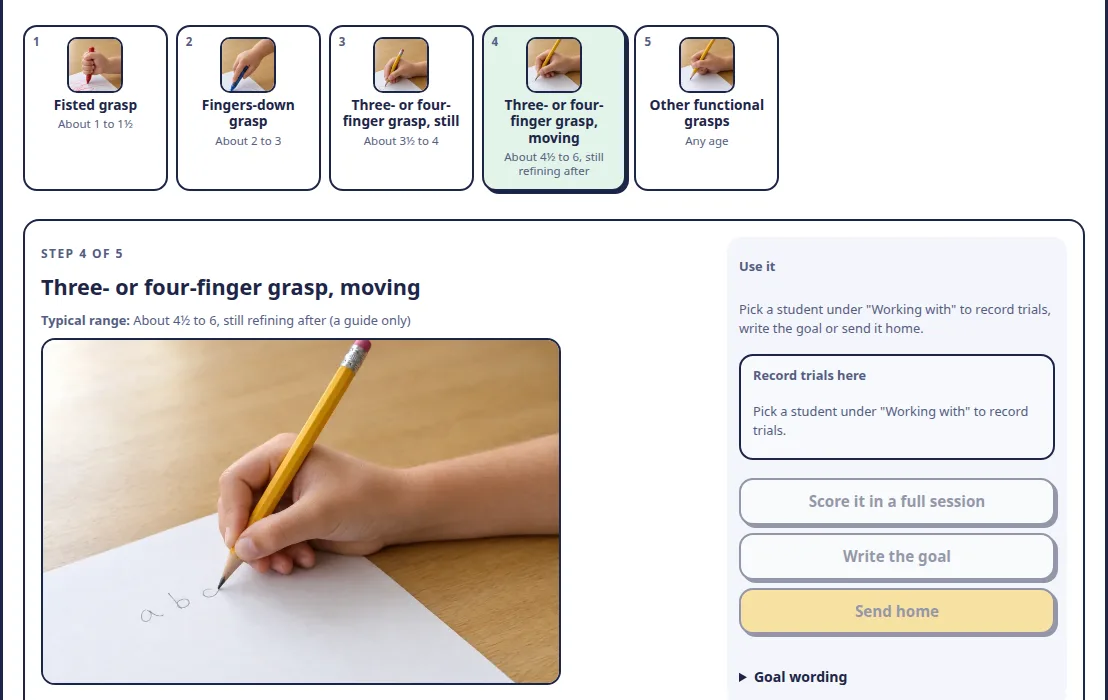
Skill ladders, clinical reference cards and a worksheet maker, tied to each student's goals.
In the demo
Open to anyone. Made-up kids only.
Private pilot
Opening soon. Invite only: OTs we add, and the families they invite.
Planned for launch
Not built yet.
For pediatric occupational therapists
Every session feeds the goal, and every goal feeds the home plan. Tap Correct or Missed on real tasks with the prompt level, see each goal against its criterion, and leave with a note draft in your goal's words and practice for the same skills at home.
Private pilot Opening soon for invited OTs. Join the list to take part. Until then, try the therapist tools in the demo.
Private pilot Invited to the pilot? Therapist sign-in. Everyone else can try the demo or join the list.
Built by a school-based OT, for school and clinic sessions.
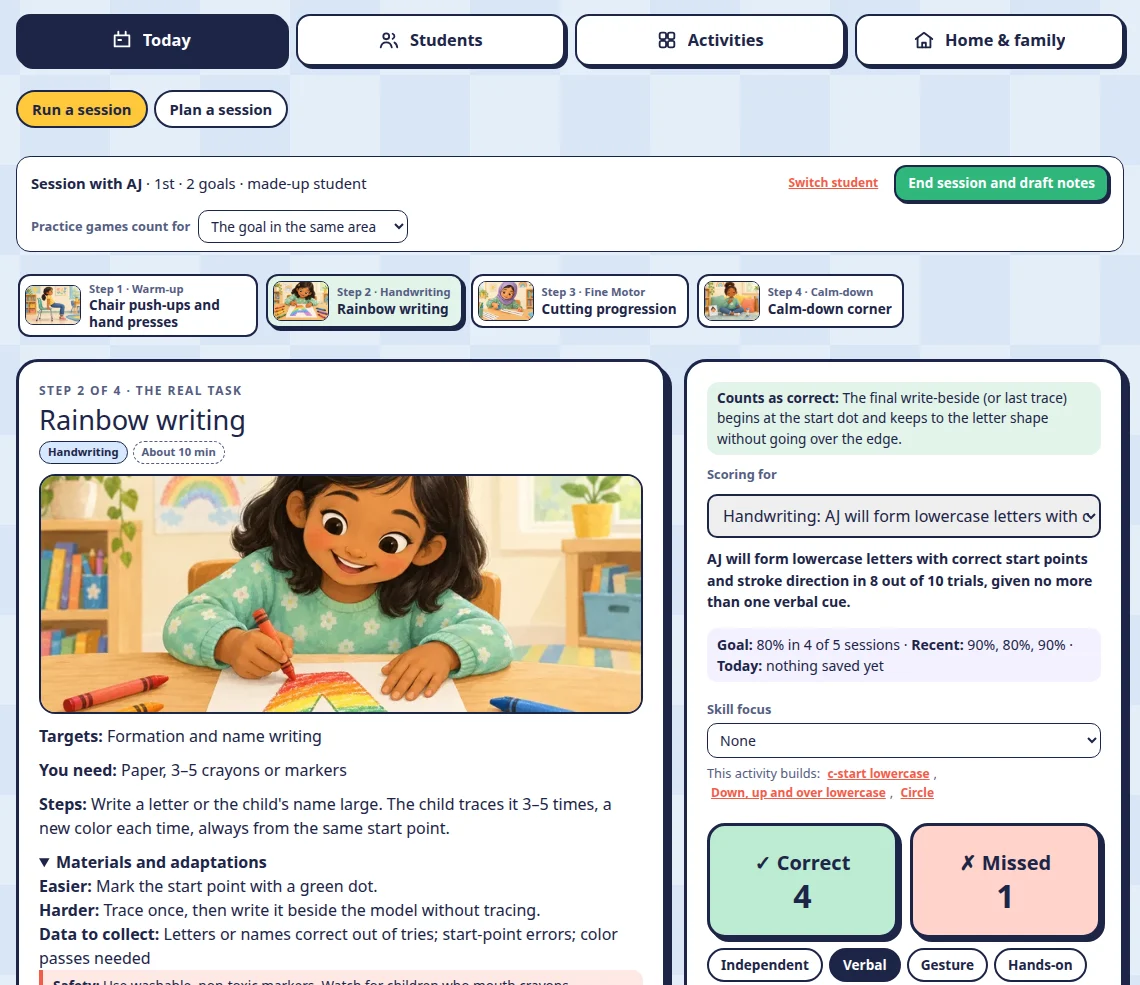
Goal progress comes only from real tasks you score. Game rounds are saved as practice and never count.
Big Correct and Missed buttons, prompt level and cue counts. Group mode, with a row for each child, is planned for launch.
Short, unlabeled drafts built from your scored trials. You review, edit and approve every one.
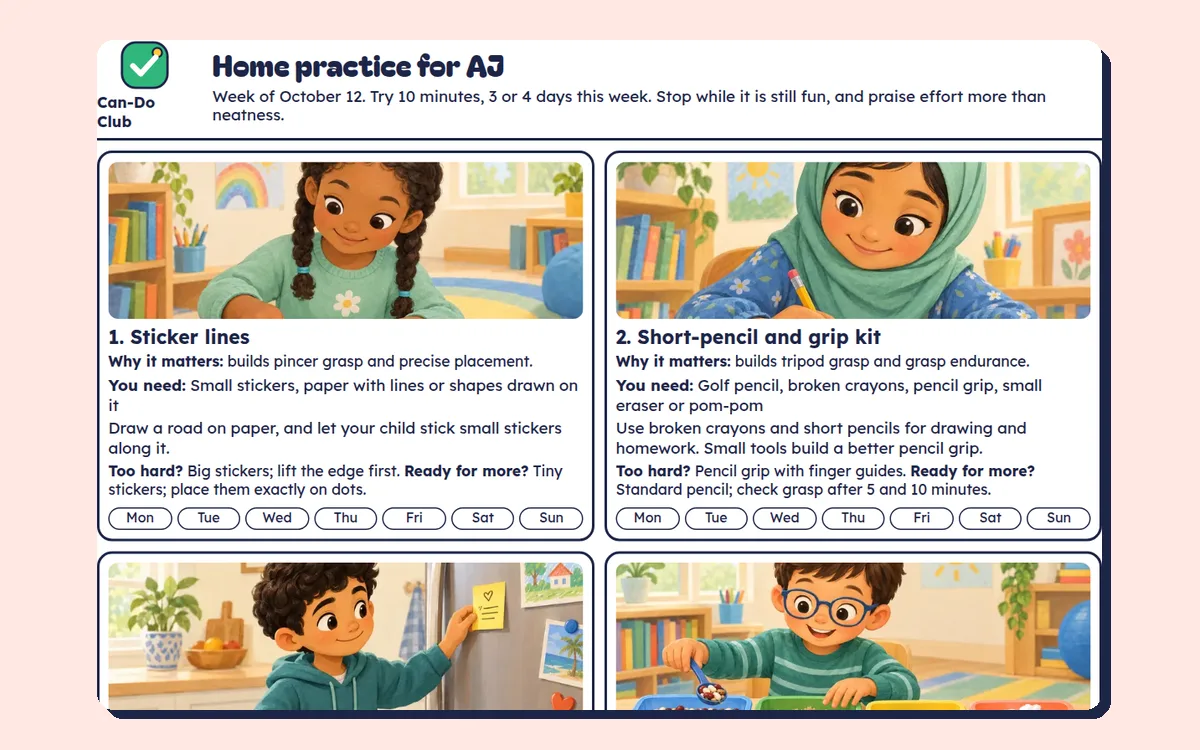
Print a picture card for the same skills you scored today. Private pilot Families open the plan with a code or QR letter and tap Hard, Okay or Loved it.
Shared Tablet
Practice or scored: how it works


Goal cards
Pricing will be shared before launch, and therapists on the early-access list hear first.
Try it before you pay
Monthly, per therapist
Annual license
No. It connects your session, each child's measured progress and home practice. The 88 activities and short games are tools inside it for warming up and practicing. Progress comes only from real tasks you score.
No. Games, warm-ups and unscored drawing on the screen are practice. Only tries you watch and score count toward goal progress.
It drafts a short note from the trials you scored, using your goal's wording. You edit and approve it before it goes anywhere.
Only the home cards you send. They never see scores, goals or notes.
In the demo, everything stays in your browser and nothing is sent to us, so use made-up initials only. The private pilot is invite only and limited to OTs' private clients. It uses secure sign-in with two-step codes, storage that's encrypted, and access rules so each OT sees only their own students. Schools come later, after a data agreement process that covers federal student-privacy rules and New York Education Law 2-d. Children's privacy rules apply to anything a child uses, and a legal review comes before launch.
Family check-ins are part of the private pilot. Only the child's OT sees them. They help you plan the next session. They're shown apart from your scored trials and never count toward a goal.
For families
Your child's OT sends a short weekly plan for the same skills they're working on in therapy, with picture steps and things you already have at home. About 10 minutes a day. Read aloud, with Spanish planned for launch.
Private pilot Family invitations aren't active yet. When your child's OT joins the pilot, they'll send you a code and a link to sign in.
Private pilot Got an invite code from your child's OT? Family sign-in. Codes come only from OTs in the pilot.

Your OT gives you a QR code or family code. You'll see this week's activities, and it's free for you.
Family invitations aren't active yet. When your child's OT joins the private pilot, they'll give you a code. Join the list and we'll email you when invitations open.
Family codes are in the private pilot now. If your child's OT is in the pilot, they'll give you a code. If not, join the list and we'll email you when every OT can invite families.
Pick what your child is working on and get play ideas for home. No account needed to look.
Pick a skillQuest Map Planned for launch


For your child
It will be free when your child's OT invites you. A low-cost plan for families exploring on their own is planned.
No. Activities use things most homes have, like paper, straws, cushions, socks and a grocery list.
Most activities take 5 to 10 minutes. Do what fits your week.
Your child doesn't need an email address or an account. In the private pilot, a parent signs up, agrees to the privacy notice and controls the account. A legal review of children's privacy rules comes before launch.
Only if you want them. Reminders will be off unless you turn them on, and you choose how often.